



5X YES for migration to S/4
Why is it worth migrating to SAP to S/4HANA
The support period for older versions of SAP systems ends in 2027. More and more companies are choosing to migrate to SAP S/HANA. But that’s not the only reason. The experience of those who are already working with S/4 shows that it is simply a good, modern system that supports business management. We have selected five innovative solutions used in S/4, as examples of which we show how the system encourages users to be more independent in using its full capabilities, making their work easier and at the same time more efficient.
The SAP S/4HANA system uses the latest IT developments in the field of hardware and software, such as in‑memory database, parallel processing or responsive user interfaces based on web technologies.
Changes and technological innovations translate into business innovations: from the way the user works with the system (interface) to completely new groups of business functionalities.
The S/4HANA system differs from the previous generation of the system (SAP ERP 6.0) in four areas:
- data model
- functionality
- UI
- reporting
In this document, we provide an overview of selected important innovations in S/4HANA illustrated with concrete examples. The first part of the document lists cross-application features, applicable to all business areas. In the following sections – selected functions are grouped by areas: sales, material management, production planning, finance, reporting and analysis.
Fiori User Interface
SAP S/4HANA offers two types of user interface in parallel:
- “traditional” SAPGui interface (well known to users of earlier versions of the SAP system)
- Fiori UI running in a web browser
The most important features of Fiori are:
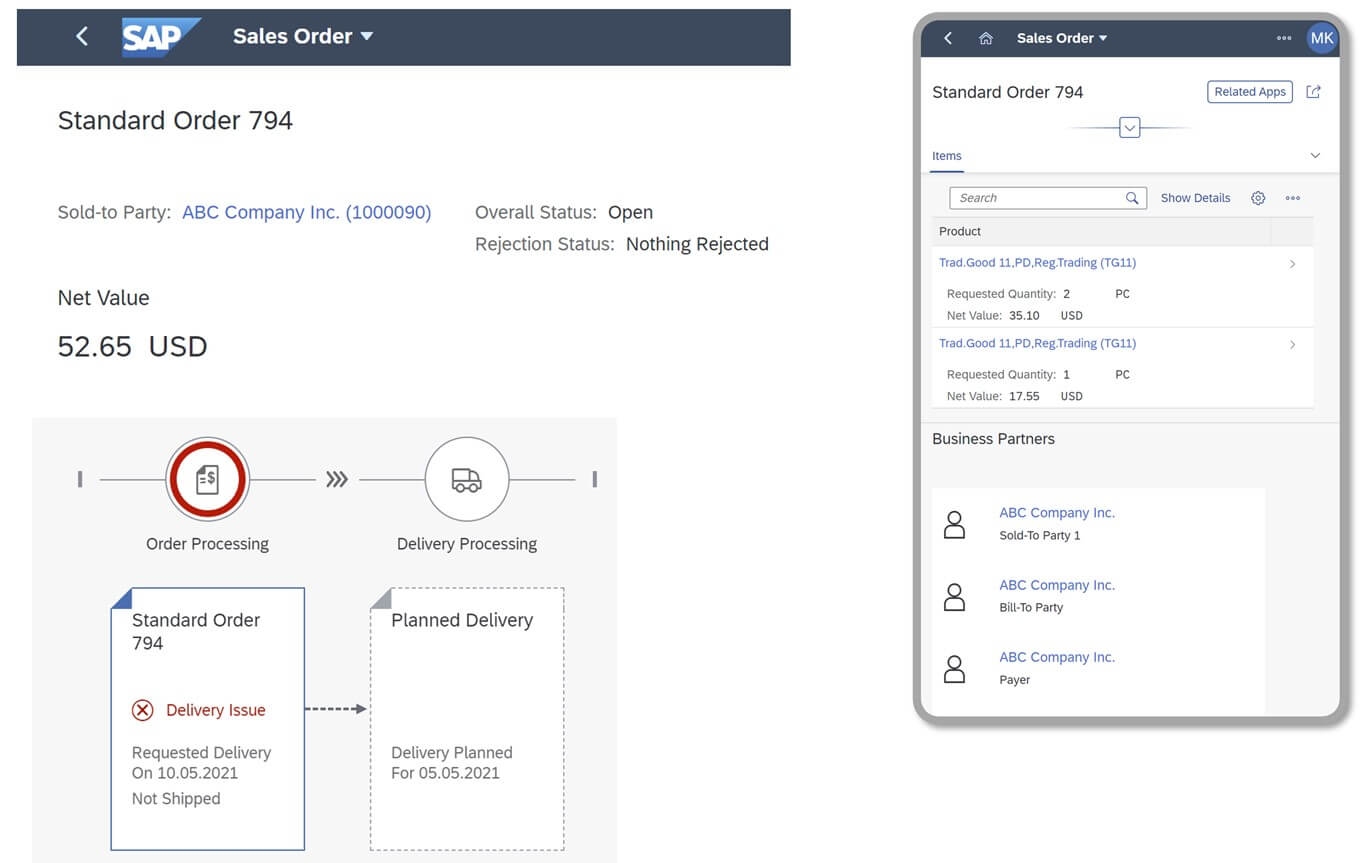
- using the capabilities of a modern web browser interface (HTML5), e.g. applications running on many types of devices and screen sizes, also on mobile devices (laptop, tablet, phone)
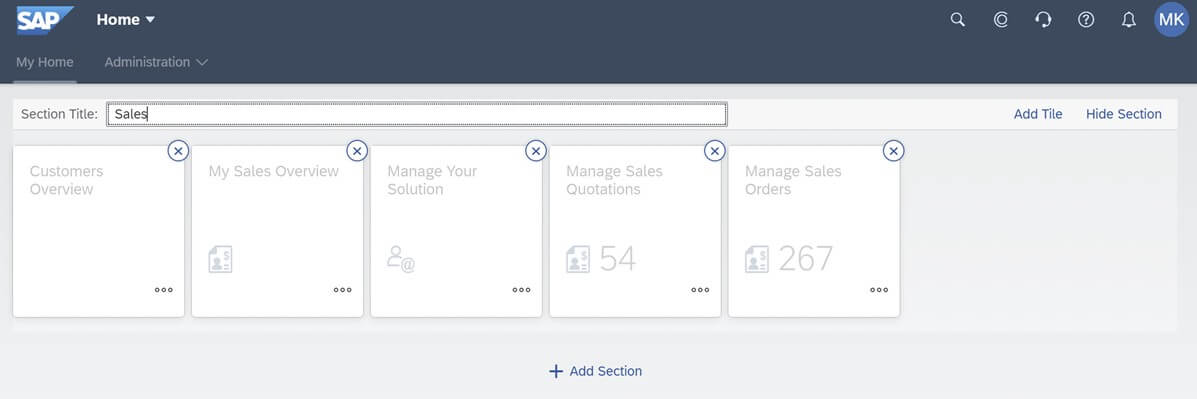
- the ability to independently adjust the work environment by the user – e.g. arranging the applications on the start screen (Fiori Launchpad) according to the most frequently performed tasks
- the ability to adjust the layout of individual application screens (changing the order of fields, hiding unnecessary fields, adding new elements) – ‘Adapt UI’ function
Fiori is also the basis for further innovations introduced in S/4, which are described in the following sections of this document (e.g. Enterprise Search, Embedded Analytics). Thanks to them, the user experience (UX) of system users is significantly improved, and consequently also the company’s employee experience (EX).
For people who “switch” from SAP ECC 6 – the coexistence of Fiori with SAPGui means the possibility of gradual migration, without the need for intensive training immediately after the upgrade. For new users – this is an accessible working environment, making it easier to get to know the new system, adapt it to the user’s preferences and work more ergonomically.
Good UX pays off for everyone
Much is said about the advantages of SAP S/4HANA in terms of flexibility in managing the organization, quick response to changes in the business environment, good reporting tools available as standard. It is as well pointed out to the modern Fiori interface accessible via a web browser, also on mobile devices. What we wanted to draw your attention to is a much deeper user orientation than just the attractive appearance of the screens.
In its new systems, SAP focuses on greater independence and efficiency of users, providing them with tools that allow them – without the need to involve ABAP programmers and building extensions – to better use the data in the system. Simple “global” information retrieval, automatic notifications of selected business events, flexible workflow or built-in analytics are selected solutions that we have brought closer in the article.
From the perspective of a single user, working with SAP S/4HANA is easier and more satisfying. This good employee experience, multiplied by a few hundred or a few thousand SAP users in the organization, results in a tangible benefit – better productivity and efficiency of work. A good user experience pays off for everyone.
Michał Kunze, SAP Consulting and Application Management Director, All for One Poland
Fiori User Interface
-

- SAP Fiori on desktops and mobile devices
SAP Enterprise Search
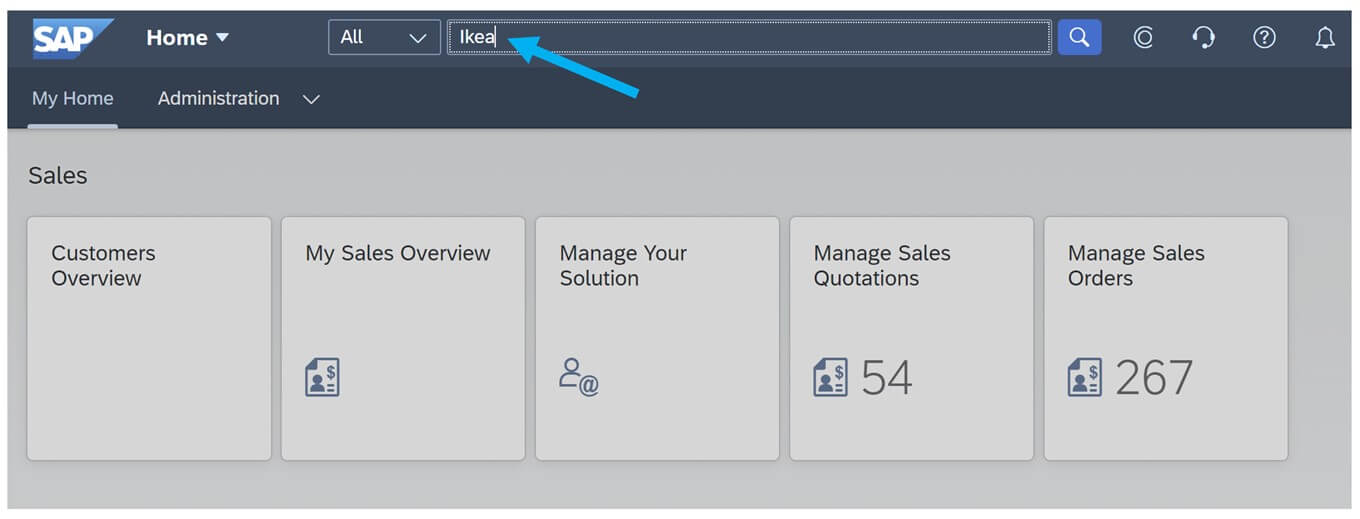
Fiori Launchpad start screen offers Google-like search feature for S/4HANA database. Just type in the search box a fragment of the name, part of the address or the number of the document…
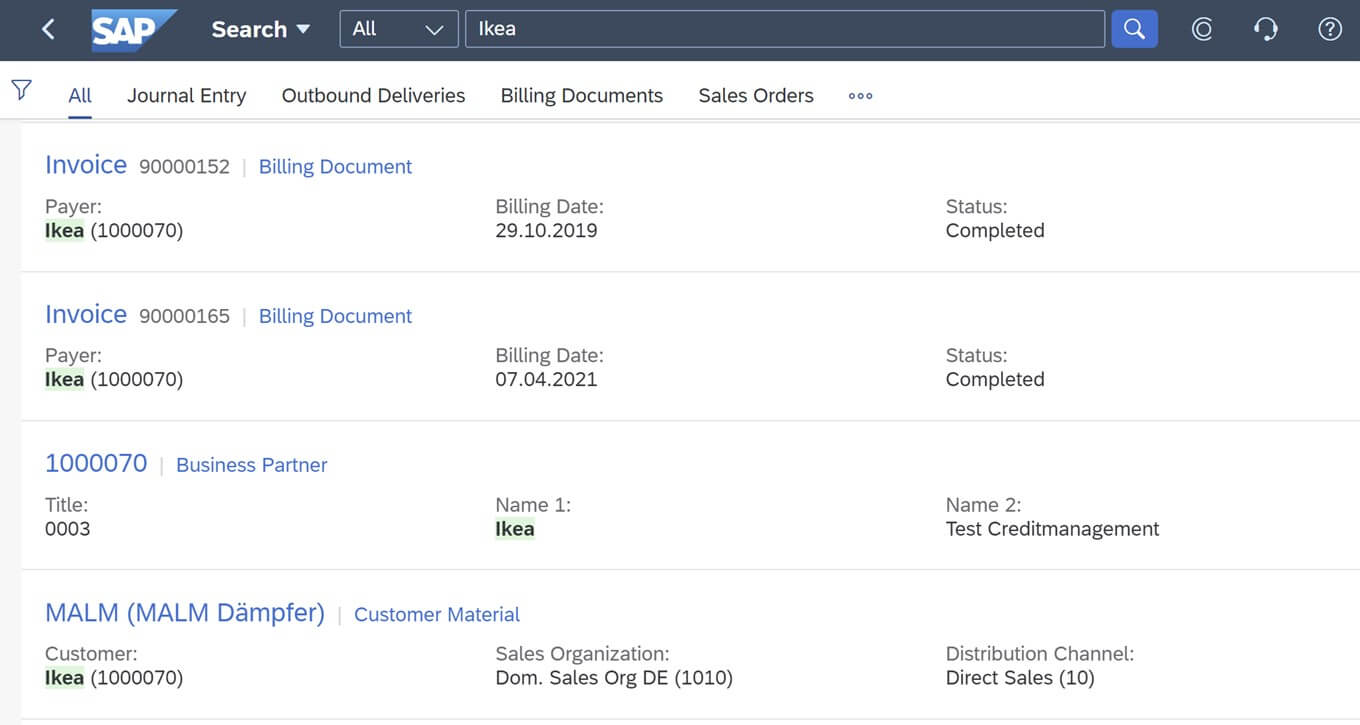
and within seconds the system returns a list of master data and documents that match these criteria:
As the above example illustrates – if looking for invoices, e.g. from a business partner “Ikea”, the user does not need to go to the “Invoice Management” application and use the search help by company name there. All you have to do is enter a fragment of the vendor name in the Enterprise Search field.
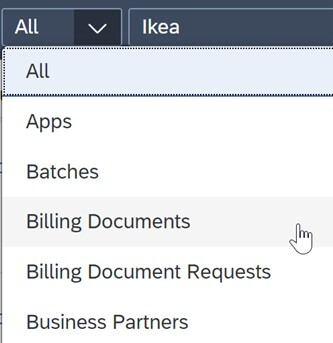
If the list of results contains too many items, we can further limit them – indicating what kind of data we are interested in – e.g. “billing documents only”:
A special case of searching is the selection of the Fiori application to run. This is especially useful for new users of the SAP system (or after migration to the new version of S/4), when we do not yet remember the exact location and names of all system functions. Just enter a string of characters, e.g. “invoicing” and we will see a list of related Fiori applications (of course, only within the scope of permissions assigned to our user account):
SAP Enterprise Search
-
- Search for information in the S/4HANA database
Business situation monitoring and notifications
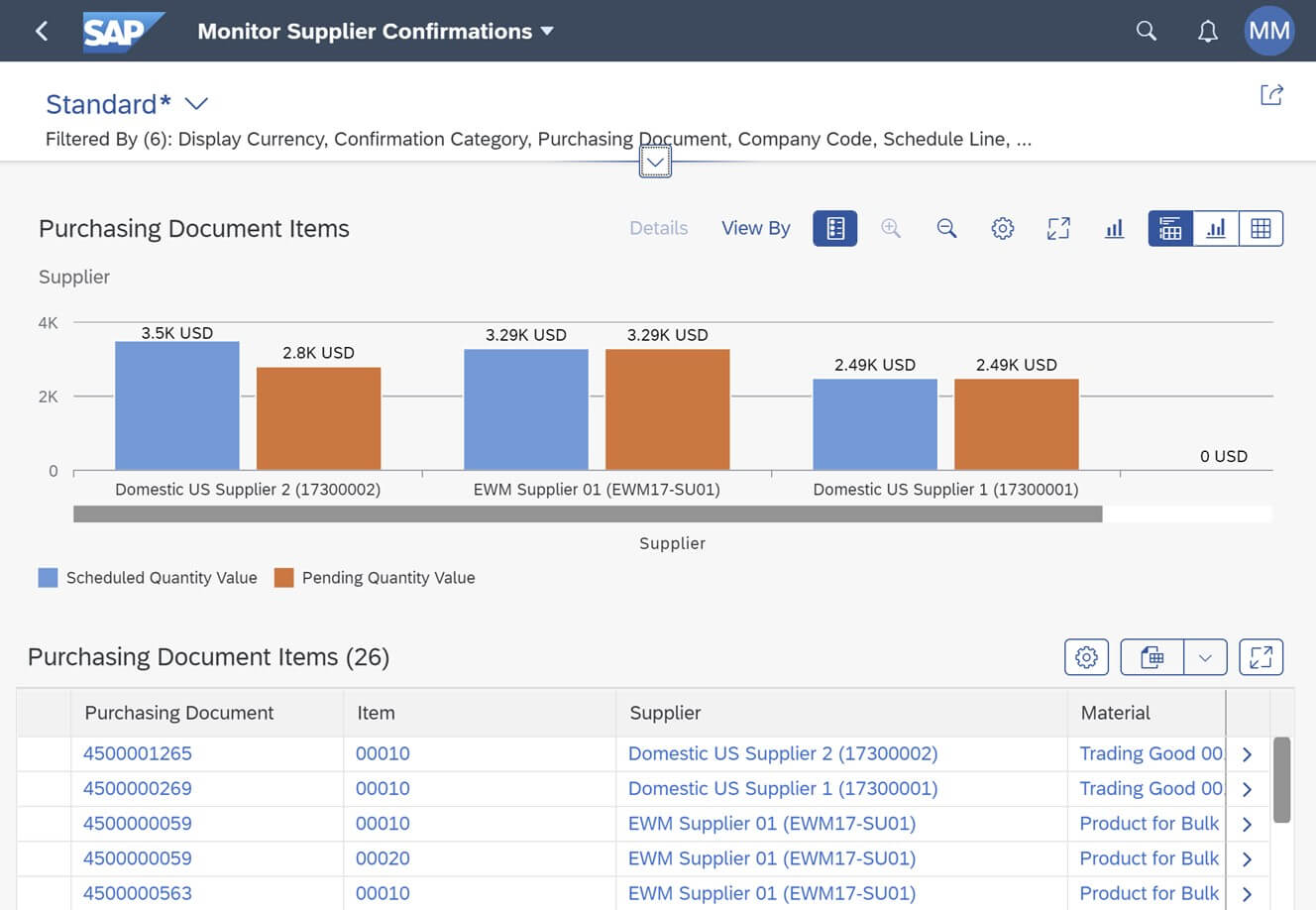
The S/4HANA system allows you to track the so-called “business situations”, i.e. events that require the attention of the company’s employees. For example, the company sent an order to a supplier, but we have not received the delivery confirmation within the set time.
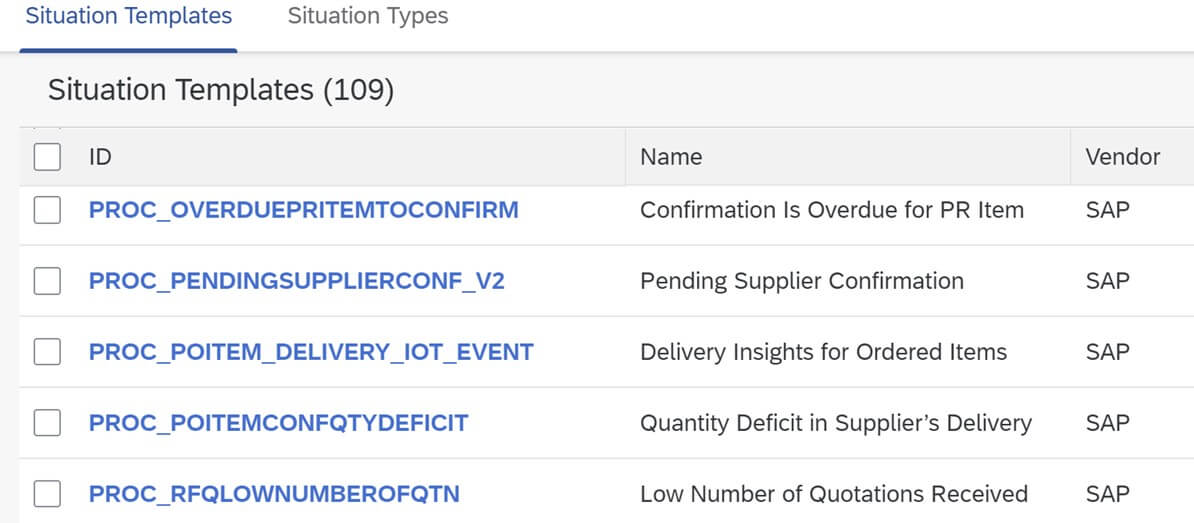
From about a hundred available situation templates, we can select and activate those that will be useful for our organization:
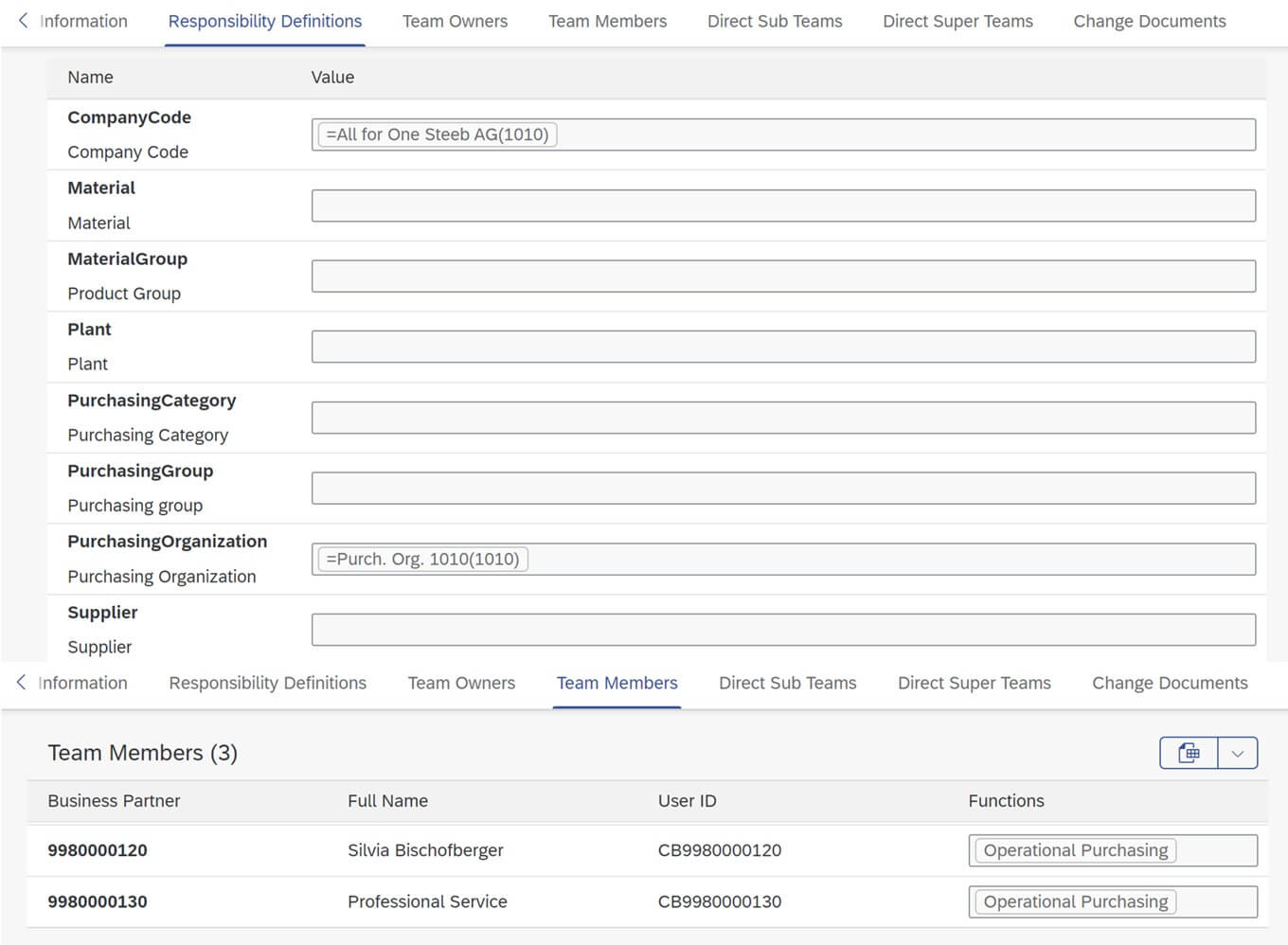
In the definition of “Teams and Responsibilities” we combine the relevant business criteria (e.g. company, plant or group of materials) with a list of employees who will monitor events:
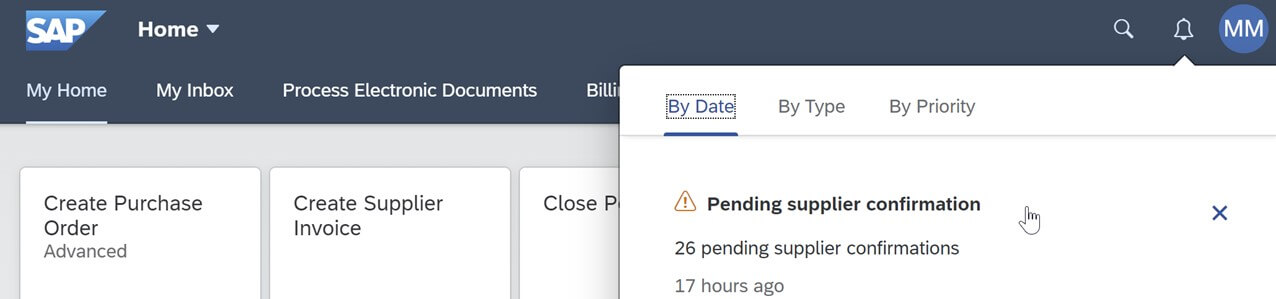
When the established criteria are met (e.g. the number of hours of delay, pending confirmation of delivery), the system will automatically send a notification to the appropriate group of employees responsible for a given case:
By clicking on the content of the notification, the user can navigate to the appropriate report with more detailed information – e.g. specific document numbers.
Business situation monitoring and notifications
-
- Choice of situation templates
Flexible Workflow
SAP systems include a built-in SAP Business Workflow mechanism that enables definition of any workflows between users. In the S/4HANA version, an alternative appeared – the so-called Flexible Workflow. The new mechanism has limited capabilities (compared to Business Workflow), but its implementation and maintenance is significantly simplified, does not require specialized knowledge of configuration or programming.
We have a choice of several pre-defined scenarios for which companies most often need established sequences of actions and acceptance. Workflow can be associated with e.g. requests for quotations, purchase orders, contracts, invoices from suppliers, sales orders, returns from customers.
Each type of flexible workflow has its own Fiori application to set the necessary parameters. We can configure:
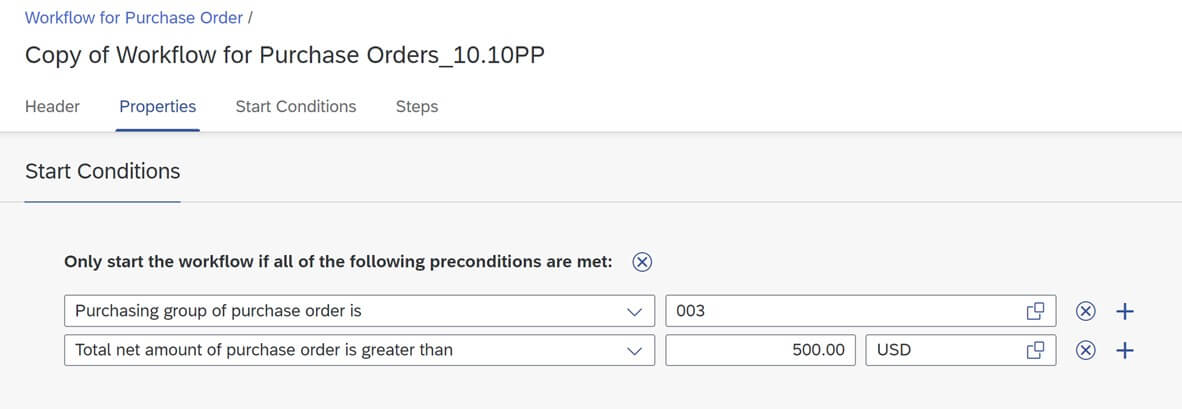
- conditions that must be met to start the process – e.g. send for acceptance only orders above a certain amount or only certain types of purchases
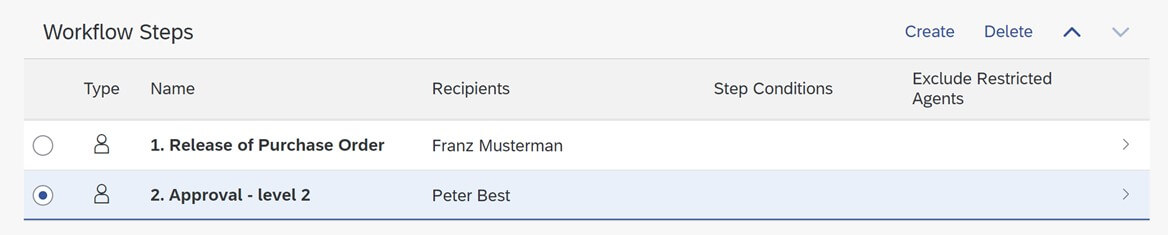
- Sequence: 1 or more acceptance steps
- conditions for individual steps (e.g. orders over PLN 2,000 require additional approval of the CFO)
- users or teams – performers of individual steps
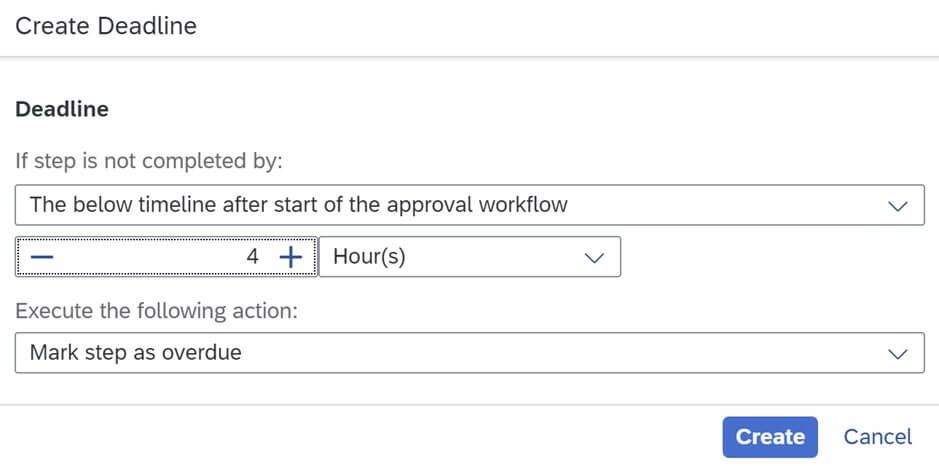
- additional parameters, e.g. a deadline for each step to be executed, after which a prompt will be sent to the appropriate user
To sum up: flexible workflow is not a replacement for all advanced workflow scenarios in SAP (we can still use SAP Business Workflow to implement those). However, it allows you to achieve the effect of “handling 80% of typical approval flows, with 20% of the configuration workload”. Small modifications of the process (e.g. assigning another responsible person) can be performed independently by key users of the application, without the support of SAP consultants.
Flexible Workflow
-
- Defining conditions for the workflow
Embedded Analytics
SAP systems have a very extensive data model, including tens of thousands of tables, connected by many relationships. On the one hand, this means great flexibility (we can reflect the requirements of many industries and various business processes), but on the other hand – navigating this data model to prepare the necessary reports – is a challenge.
Some of the needs can be met with the help of standard reports, but each enterprise has additional specific requirements for statements, analyzes, calculation of KPIs. Prior to the introduction of the S/4HANA version, typical approaches to reporting data from the SAP system consisted of:
- creating custom reports in ABAP programming language
- use of a separate data warehouse – SAP BI
- use of other analytical tools, e.g. SAP Business Objects, PowerBI
S/4HANA version provides significant improvements in this area. The system includes the so-called virtual data model (VDM), which adds on top of the “physical” database model:
- hierarchies and descriptions in a form understandable to the user – instead of referring to technical abbreviated names of tables and fields, we use readable names such as Sales Order or Sales Order Item
- calculation mechanisms (e.g. conversion of amounts based on exchange rates)
- the ability to control data access already at the level of retrieving information from the database (the result of data selection contains only records to which the user has permissions).
The basis for creating reports is a new type of view – the so-called CDS view – which includes all the amenities of a virtual data model. We can use a large library of standard CDS views provided with the system or create new ones. On the basis of the selected CDS view, we then build analytical queries in a web browser.
Defining analyses is similar to working with the “pivot table” tool in Excel. We can determine any ways of filtering/electing data, any set of data columns, and criteria for grouping data:
The results of multiple analyses can then be aggregated into synthetic summaries and KPIs (e.g. “top 10 customers” or summary KPI “number of unfulfilled orders”). Such summaries are presented in the form of so-called overview pages. From the individual items on the screen you can go to more detailed reports (drill-down):
Embedded Analytics
-
- Defining reports
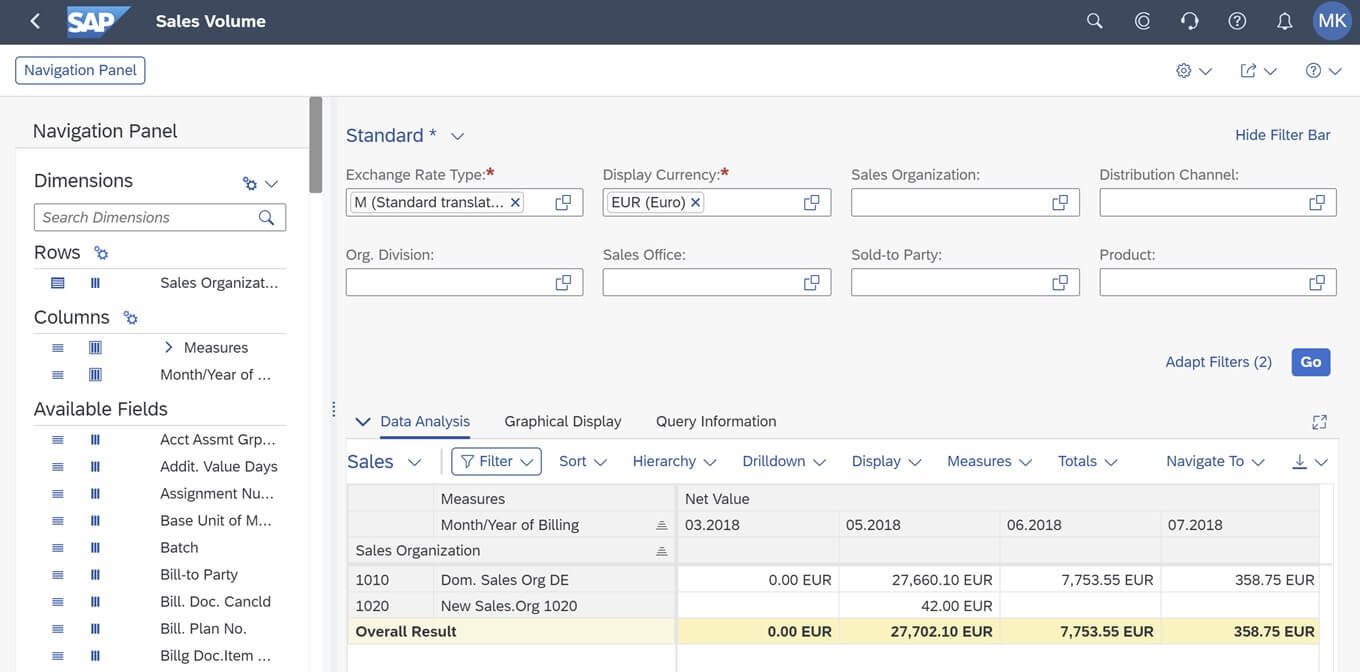
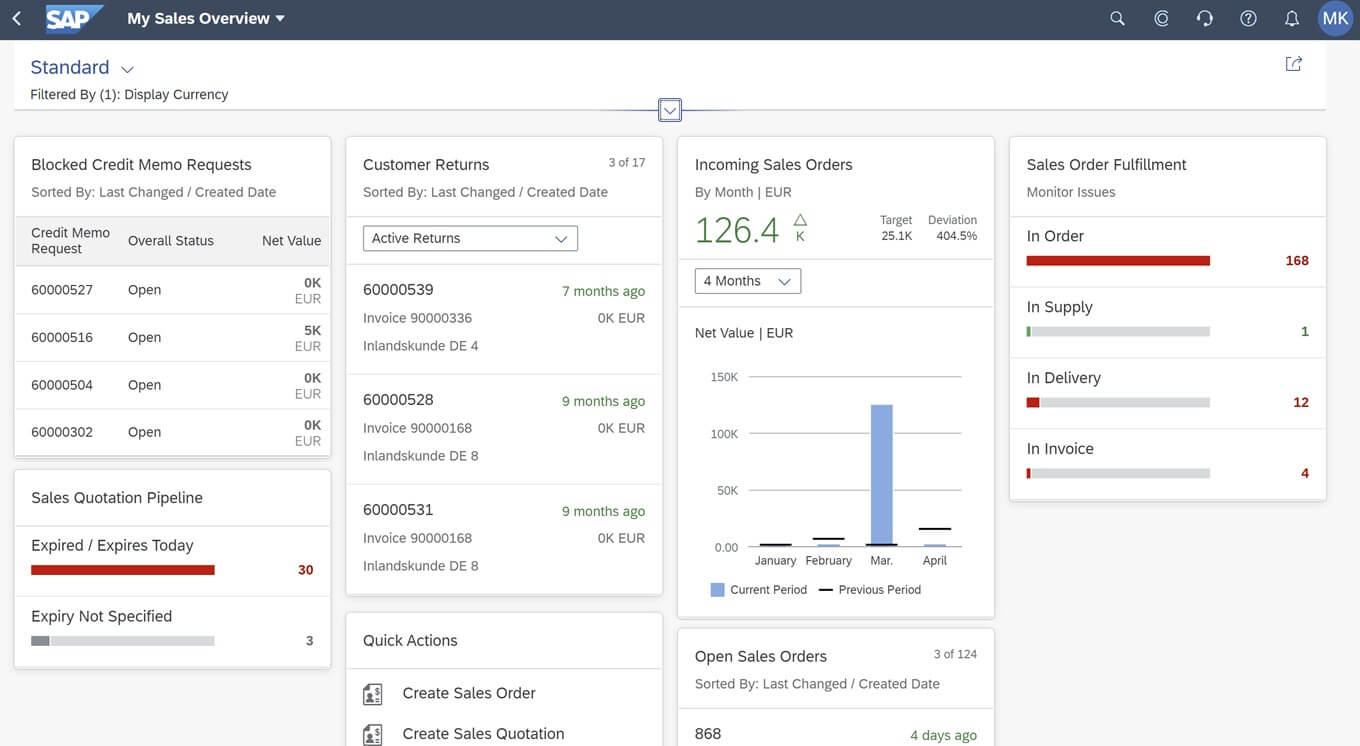
The analytical functions described above are available after installing the S/4HANA system and do not require additional licenses for other tools (e.g. SAP BI or SAP Analytic Cloud).
How to start HR digitalization?
When planning IT projects, we have a natural tendency to overcomplicate requirements, and in particular to map current solutions enriched with new expectations in the target system. A typical scenario is a project of moving most applications supporting HR processes to the cloud.
Our proposal is different. Let’s try asking a few questions to employees and managers first:
- Which HR processes should be transformed (simplified, changed, automated)?
- Which processes need to be digitalized now and which can wait?
- What benefits can this change bring us?
- How much effort and time will it cost us to transform these processes?
Once we have a list of suggestions and ideas, let’s rank them based on two criteria: potential benefits (impact on employee experience and performance) and cost of transformation (including required involvement of our employees). On this basis, we can build a digitalization strategy.
The recipe for digital transformation becomes simple: following the strategy, the organization should start with ideas whose implementation will bring business benefits quickly and at an acceptable cost.
Organizational culture!
The digital transformation of HR is not just about technology. It is, above all, a change in the way of thinking about many processes (development and performance management, recruitment, training, etc.) and, consequently, a change in the organizational culture. Persuading managers to engage in a continuous dialogue with their subordinates instead of holding schematic meetings on annual goals, entrusting development planning to employees, or focusing on mentoring – these are just some examples. In many cases, digital transformation will fail without a cultural change.
The experience of the pandemic is prompting a rethinking of employee needs. While HR departments previously focused on recruiting, onboarding or development, they now face new challenges such as hybrid work, employee wellbeing (including wellbeing programs), remote training and mentoring. Unfortunately, organizations no longer have the comfort of planning changes slowly and meticulously. In the new reality, agility is the key.
Big or small projects?
We are at a point now where long projects aimed at preparing “perfect” solutions will not work in many cases. The extraordinary popularity of agile methodologies in almost every area of business (including HR) is not accidental. Organizations need quick results that can evolve later, but the benefits of solutions should be visible in just a few months (as opposed to big-bang projects, which take an average of 12 months).
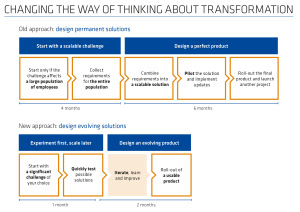
An example of a transformational project – the magic number 3
The consulting company McKinsey offers a simple and extremely effective approach to managing employee goals and learning. The 3x3x3 method is based on three principles:
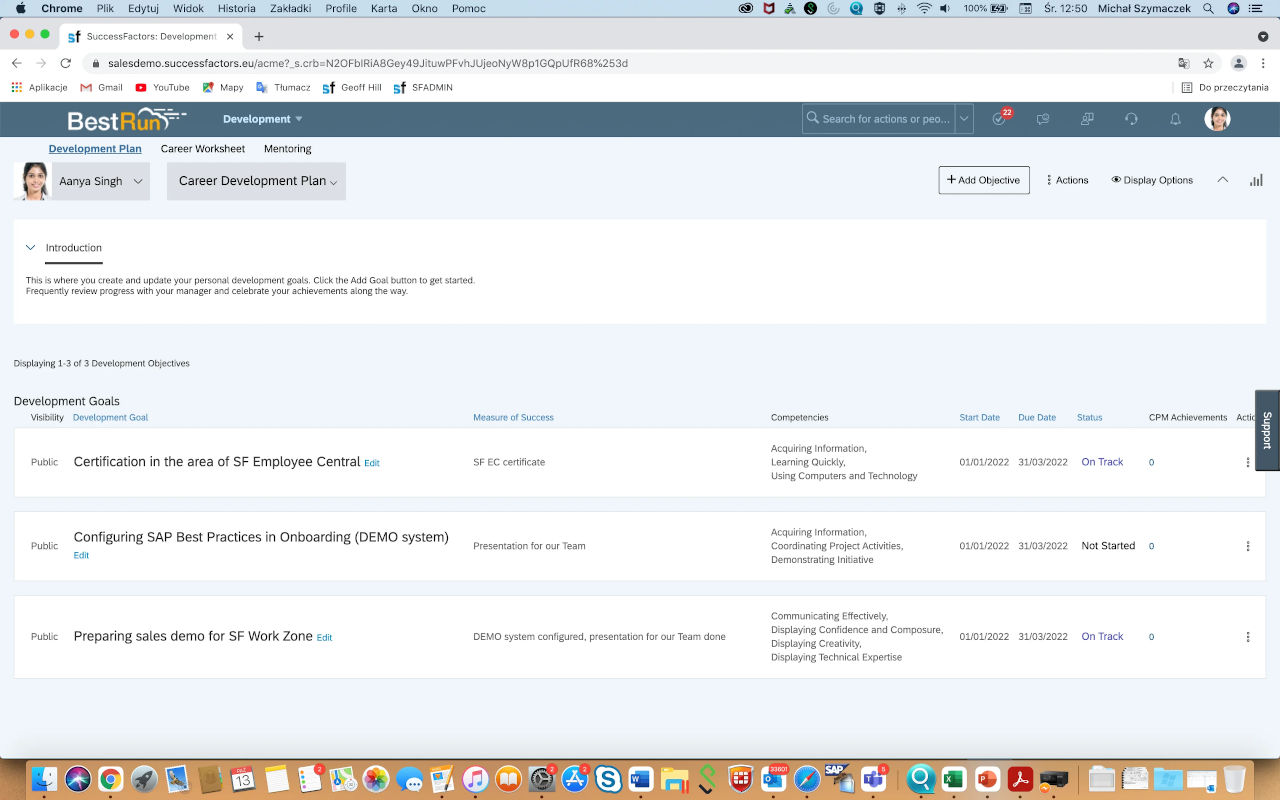
- An employee may have a maximum of 3 development goals defined;
- These goals should be achievable within a period of not more than 3 months;
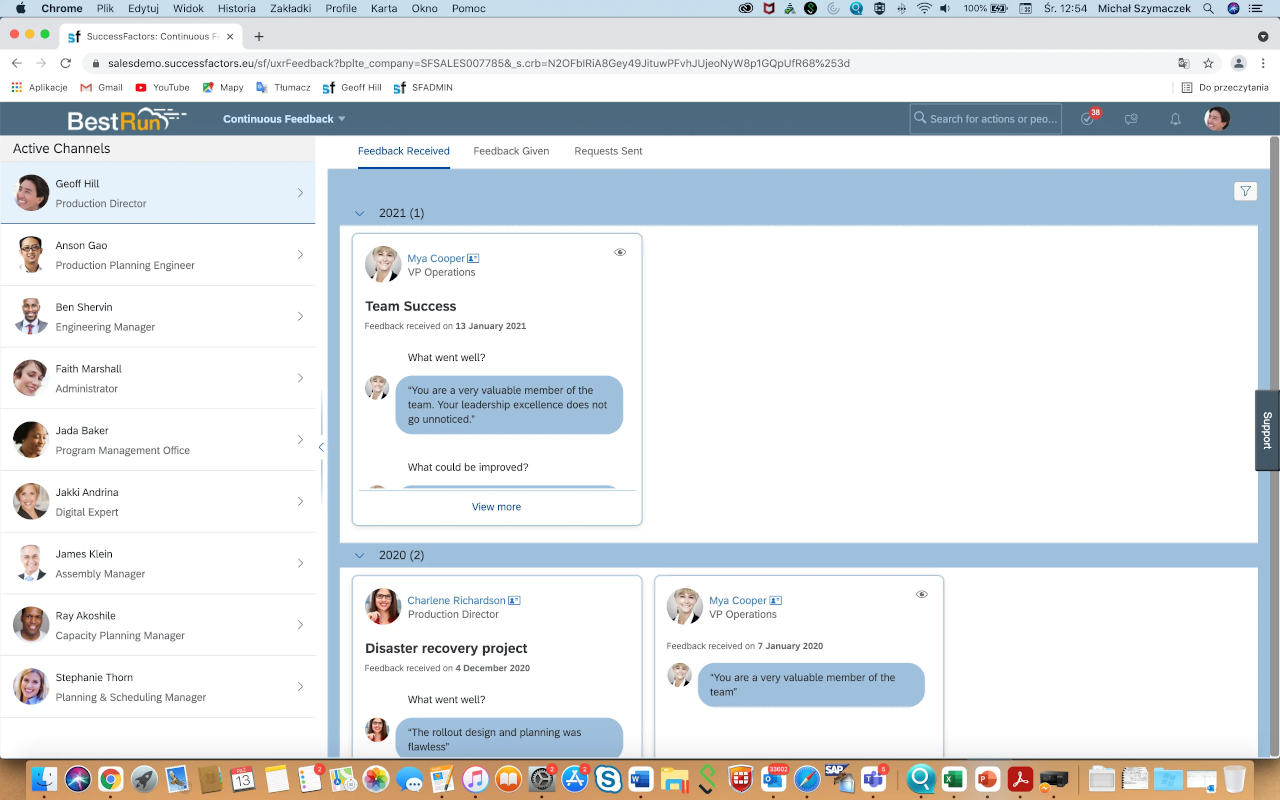
- In order to achieve these goals, we should use communication with at least 3 people.
Why the number 3? The number of goals, on the one hand, should not be too large so that an employee can focus on them, on the other hand, it should not be less than 3 so as not to limit the employee and allow them to take advantage of opportunities and to minimize the risk of failure (when, for example, we fail to achieve one goal, we have two more that can be achieved). Besides, each of us has more than one domain in which we want or need to grow. When employees have too many goals (more than 3), they lose focus, moreover, they forget about some of them.
Three months is long enough to get measurable results (with properly defined goals) and short enough not to succumb to the temptation of procrastination. Three months is a good period to review and revise goals, giving a chance to get feedback from a supervisor or to modify challenges if the situation requires it.
Organizations underestimate the importance of the so-called goal socialization. Involving others (at least 3 people) in communication or cooperation in achieving goals is, according to psychologists, one of the strongest motivators. It also means working on joint development and collective celebration of successes. Finally, it is a healthy social pressure on the way to achieving goals.
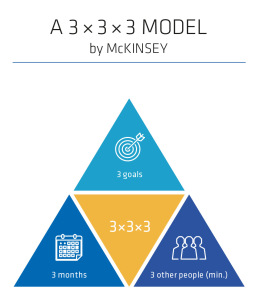
Implementing a simple 3x3x3 model can result in increased employee performance and satisfaction, but may also require interference in established patterns and procedures, and above all, a change in the organizational culture.
An organizational change and SuccessFactors
How can such a change be supported by SAP SuccessFactors solutions? This is where the Performance & Goals, Continuous Performance, Continuous Feedback and Development features come in handy. The implementation of this package using the Best Practices method can be carried out within 3 months. How to support the 3x3x3 approach with technology? Here are some tips:
- Development goal plans should be defined on a quarterly basis;
- The employee should have a maximum of 3 development goals for a period of 3 months;
- The employee should be able to edit their development goals;
- Goals can be public and visible to a wide range of colleagues (this will help “socialize” goals);
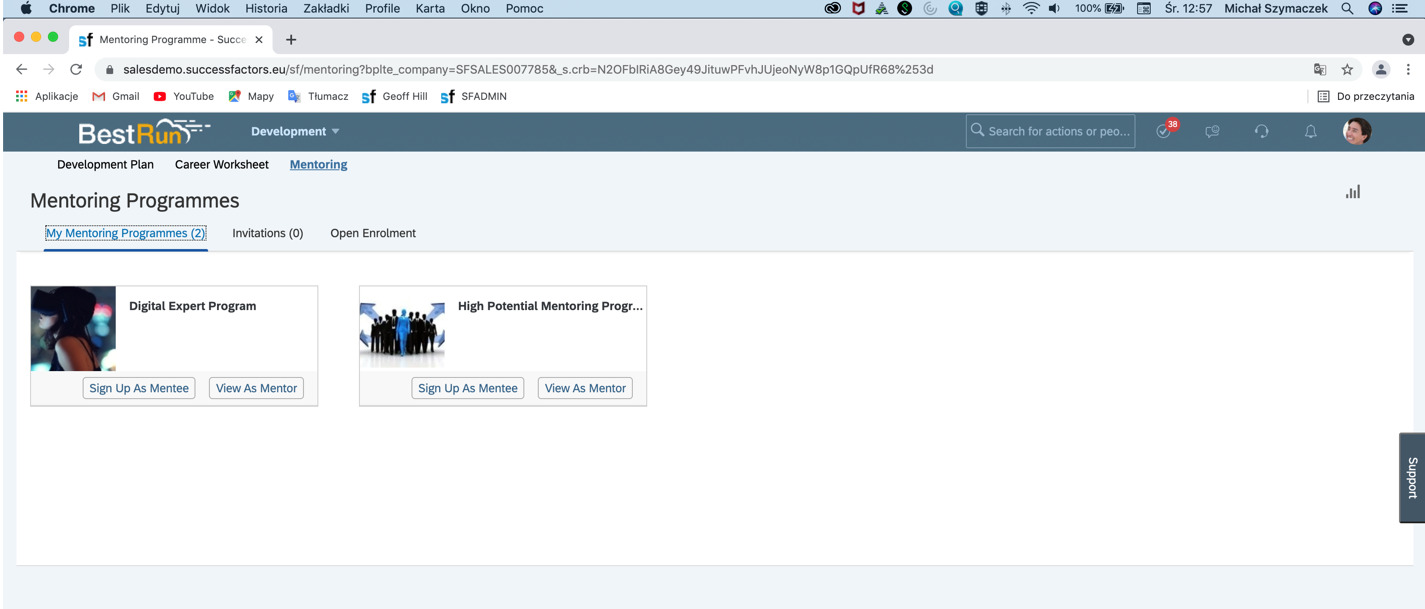
- The employee should have the opportunity to participate in mentoring programs that will support the employee in meeting goals (SF Mentoring);
- Using the SF Continuous Performance tool, the employee and their supervisor review goal achievement on a regular (weekly or bi-weekly) basis;
- Using the SF Continuous Feedback solution, employees regularly request feedback from others in the organization.
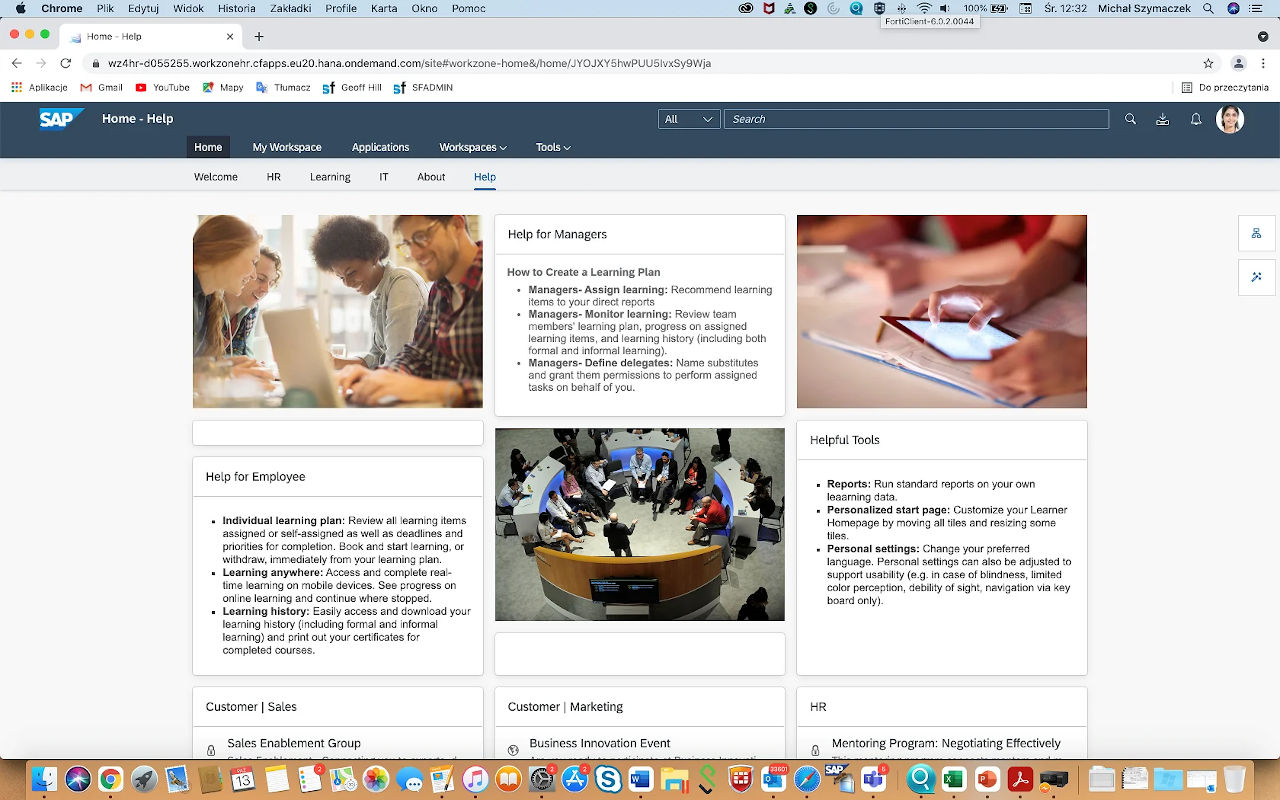
A digital transformation project in the area of intentional learning can evolve and in subsequent, short (e.g. 3-month) periods expand the set of tools available to employees (e.g. SAP SF Work Zone can be a virtual work environment where employees share knowledge and work together to achieve goals; SF Learning can be a platform with a development training package).
Goal management and development in SAP SuccessFactors
-
- 3 development goals for 3 months
Priorities in HR Transformation
According to PwC (20th CEO Survey), 77% of CEOs fear that a shortage of skilled employees may disrupt the growth of their company. They consider soft skills – creativity, innovation and emotional intelligence – to be the most valuable, while signaling that they are the most difficult skills to acquire. These are the attributes that guarantee the success of digital transformation and HR departments should think about them. The top priorities in a digitalization strategy should be:
- Employee learning supported by e-learning systems;
- Knowledge sharing and socialization of processes through digital workplaces;
- Managing digital talents.
The challenge for HR
In 2020, Gartner surveyed nearly 6,000 employees across a range of industries (Digitalizing HR to Improve the Employee Experience). Among other things, they were asked to rate the support HR departments offer employees in improving their performance. Only 29 percent of respondents rated them positively. So HR departments face many challenges. Time is pressing. The solution can be agile, evolving projects that give employees and managers quick results and simultaneously change the organizational culture.
SAP Production Planning & Manufacturing (SAP PP) comprehensively covers the business functionality for production planning and controlling the production of goods and services. This module supports, among other things, various types of production planning. There are many possibilities and each of them supports a variety of approaches to planning and production processes, such as long-term and short-term planning, material requirements and production capacity planning, make-to-order and make-to-stock production.
In order to support various business processes in the area of production planning and control, it is necessary to define a whole range of master data within the module. One of the most commonly used data categories is the bill of materials (BOM).
In terms of the structure, the bill of materials is a combination of components and their quantities required to produce basic quantities of a finished or semi-finished product. The bill of materials is often compared to a cooking recipe in terms of its ingredients. Such an analogy makes it easier to visualize its task. It can refer to materials, sub-assemblies or even parts as components and to production structures. Technically, bills of materials are included in numerous database tables, the most important of which reflect the bill heading and its items. A brief list of key tables for bills of materials is presented below.
- STKO – a table storing header data,
- STPO – a table storing item data,
- STAS – a table with selection of items,
- STPN – a table with control data,
- STPU – a table with subitems,
- STZU – a table of permanent bills of materials.
These tables are linked together by key fields that combine them into a logical whole and allow them to present the complete information required for use in the planning and production process.
The main key fields of material structure tables are:
- STLTY – a BOM category,
- STLNR – a BOM number
- STLAL – an alternative.
Here is an example. By reading the bill of materials with the number STLNR = 123XYZ, we send to the database a query to read a set of tables with all data for this particular bill. It should then be remembered that the BOM number does not define it completely when it is read because it may have different categories depending on its purpose.


